 AI-Native Builder
Brainstorm
Talk through an idea with your agent, one question at a time. Define what you want to build, why it matters, and what success looks like.
Recording and resources from the live session with Avthar Sewrathan on September 16, 2026.
Watch the recordingUse the /brainstorm and /create-spec skill to plan your next AI coding project
Then paste it into a conversation with your agent.
Install both skills for your personal Claude Code projects.
The prompt installs and confirms. It won’t start a planning session.
Two skills to take an idea from a conversation to an actionable plan. Explore each skill and its templates, then install both with one prompt.
Talk through an idea with your agent, one question at a time. Define what you want to build, why it matters, and what success looks like.
Turn a brainstorm into a lightweight project or feature spec, grounded in your requirements and existing code, with clear success and verification criteria.
Use the /brainstorm and /create-spec skill to plan your next AI coding project
Then paste it into a conversation with your agent.
Install both skills for your personal Claude Code projects.
The prompt installs and confirms. It won’t start a planning session.
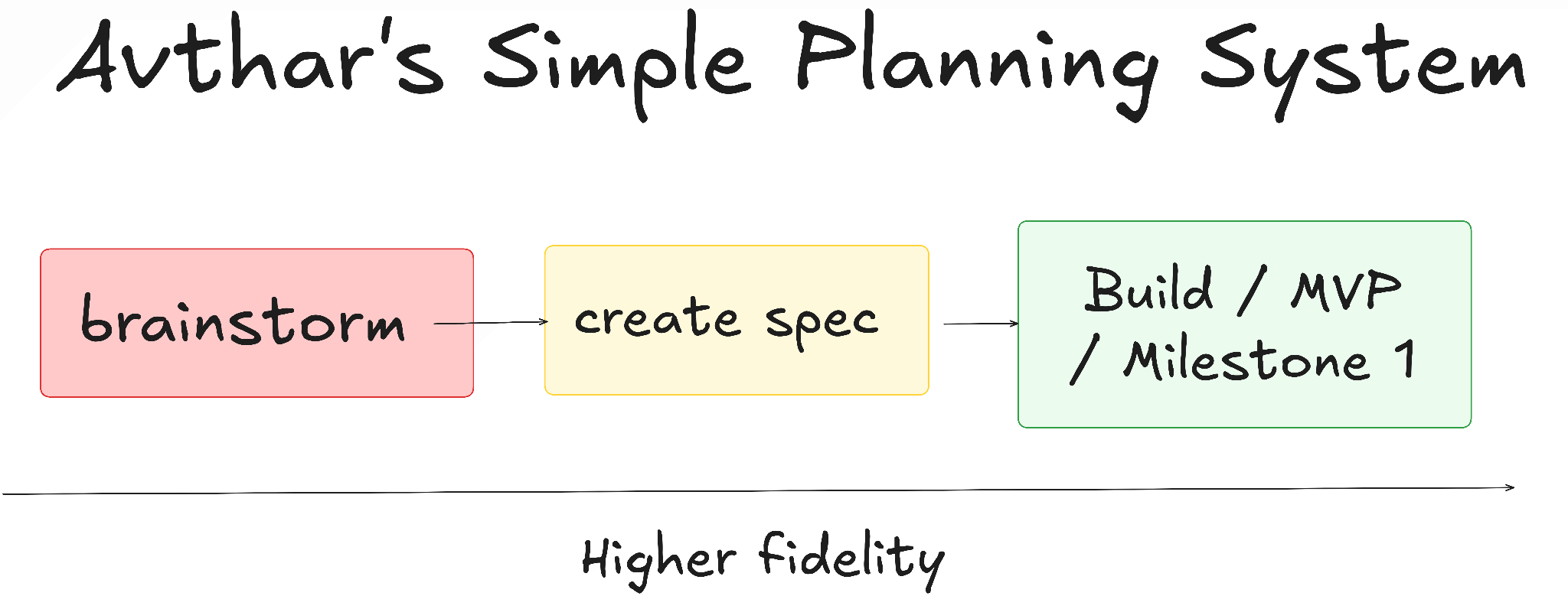
The goal of planning is clarity: what you want to build, how it should work, and what success looks like. Use your agent to develop that clarity, turn it into a useful spec, then build and verify the first milestone.
Planning != Plan mode. You can plan well by talking with your agent. Explain the idea, use voice if it helps, and ask the agent to interview you about your goals, constraints and preferences.
This is planning as an interactive process. Let the agent’s questions expose gaps in your thinking; your first prompt does not need to contain every requirement. The brainstorm skill helps structure that conversation.
A good project spec has three components:
Use a project spec for shared direction and constraints, and feature specs for focused requirements. Specs need to be useful, not perfect. Keep separate documentation of how the product currently works.
Move from the idea to a spec, then to a minimum viable product (MVP) or first milestone. Break the work into smaller issues in an external project-management tool.
For each piece, use RPIT: Research → Plan → Implement → Test. Investigate the unknowns, choose an approach, build, and check the result against the spec.
Ask the agent to keep running notes on Design decisions, Deviations, Tradeoffs, and Open questions so you can review how the plan changed during implementation.
These resources cover the main examples and further learning from AI Coding 201: Planning.
Turn your plan into a working project. Build with Claude Code or Codex, create your own skills and automations, and get live guidance from Avthar in the 16-day AI-Native Builder Accelerator.
Join AI-Native Builder 16 Day Accelerator“The learning-to-time ratio is excellent. Avthar is a patient, engaging instructor who loads you up with resources to keep growing long after the course ends.”
We use cookies to understand how this site is used and improve your experience. Privacy policy